Fast counter bills
Pick items from your list or scan the barcode with the phone camera. The total is ready as you add.
Bill the customer in front of you in seconds, hand over a printed receipt with your UPI QR, and let SahiBill keep the stock and the udhaar. It works without internet and speaks your language.
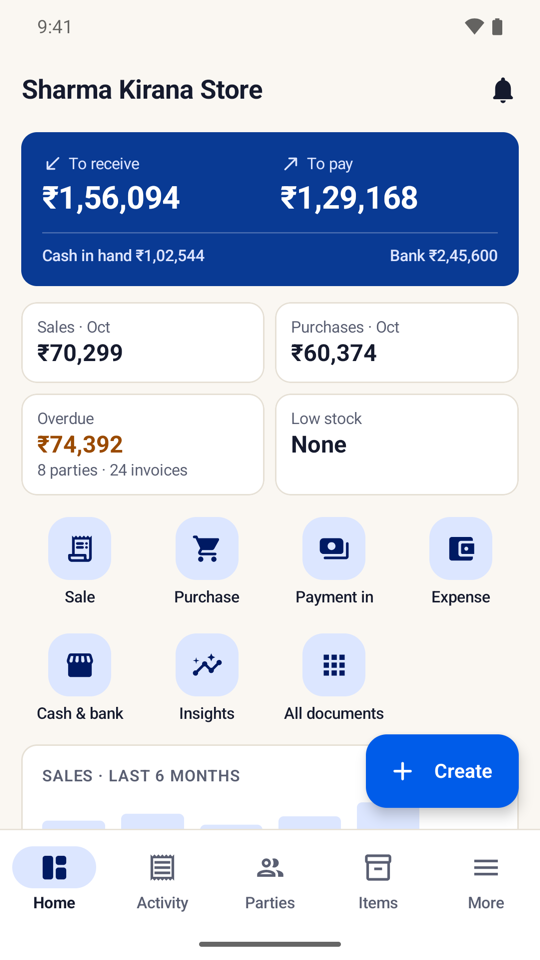
Pick items from your list or scan the barcode with the phone camera. The total is ready as you add.
Print on a 2-, 3- or 4-inch Bluetooth thermal printer. The QR at the bottom takes payment by any UPI app.
Every customer's balance and overdue days in one list, with a WhatsApp reminder in one tap and a statement as PDF.
Sales take stock out and purchases put it back. Low-stock alerts tell you what to order before the shelf is empty.
Sell by KG, gram, litre or piece, and buy by the bag or carton with a unit conversion. MRP, batch and expiry when you need them.
Regular GST with CGST + SGST or IGST, composition with a bill of supply, or plain bills if you are not registered.
Use SahiBill in English, Hindi, Hinglish, Marathi, Gujarati, Kannada, Tamil, Telugu or Malayalam. Short video lessons inside the app explain each screen, so a family member or helper can start billing the same day.
Everything is free for 7 days. After that, SahiBill Pro keeps billing going; without it you can still view, share and back up everything you entered. There are no ads. See pricing.
Yes. Turn GST off under Taxes and GST in Settings and SahiBill makes plain bills, with the same stock, udhaar and reports.
Yes. Billing, stock, reports and Bluetooth printing all work without internet.
Any Bluetooth receipt printer that uses the standard ESC/POS commands, in 2-, 3- or 4-inch paper. See thermal printer billing. You can also bill without a printer and share the bill on WhatsApp.
Yes, with the phone's camera. Save an item's barcode once and scan it to add the item to a bill.
Type them in, or import your item list from an Excel or CSV sheet with names, prices, HSN codes and opening stock.
Yes. Each customer has a running balance, a statement and overdue days, and you can send a payment reminder on WhatsApp.
Free for 7 days. No ads. Works without internet.