GSTR-1 report from your own bills
GSTR-1 is the return that lists your sales. If your bills are already in SahiBill, the figures are too: open the report, pick the month or quarter, and send it to your CA as PDF or Excel.
Last updated: 10 October 2026
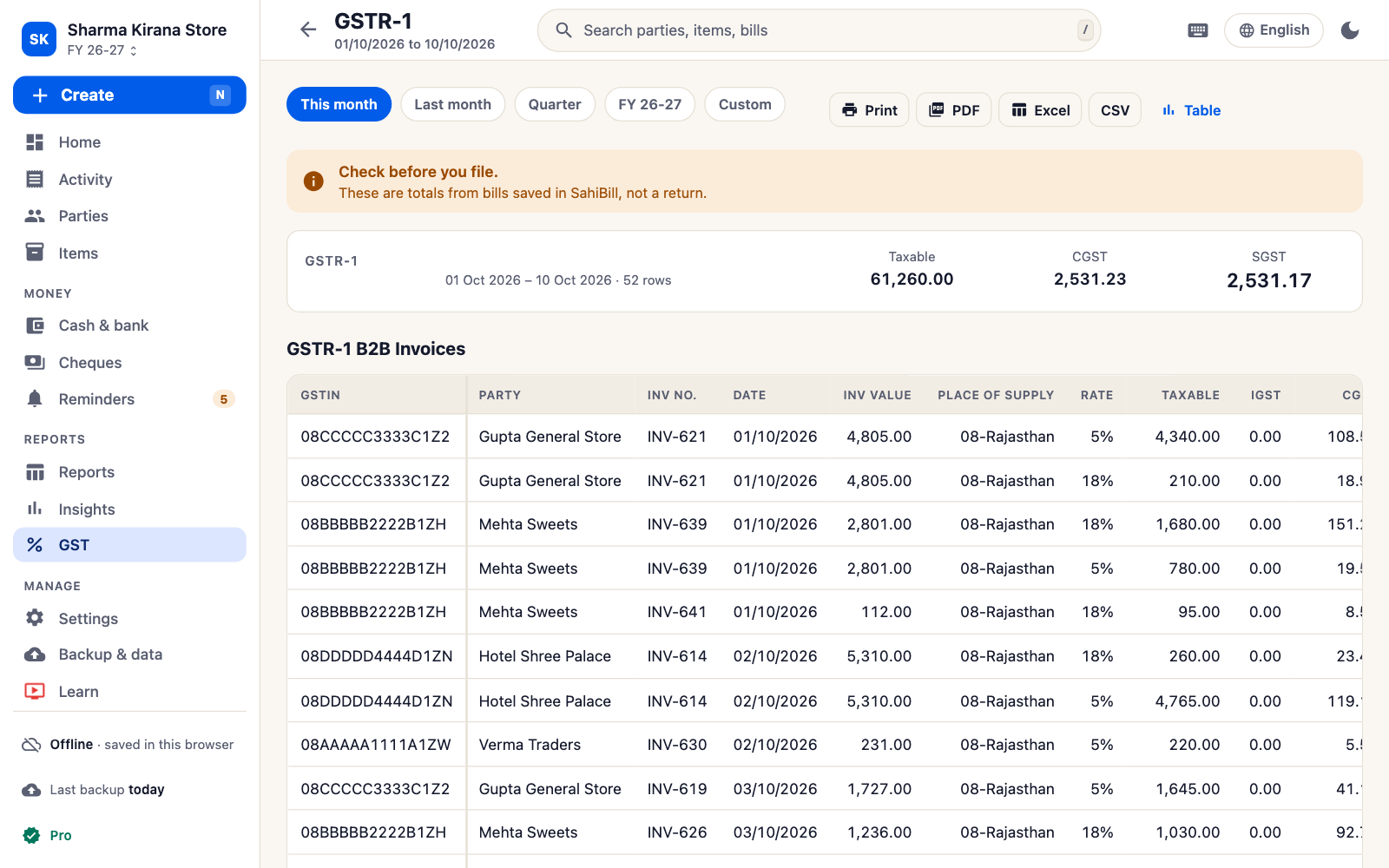
What the GSTR-1 report contains
SahiBill sorts every sale bill, sale return and credit note in the period into the same groups the return uses:
| Table in the report | What goes into it |
|---|---|
| B2B invoices | Each sale to a customer with a GSTIN: invoice number, date, place of supply, rate, taxable value and tax. |
| B2C large | Each sale above ₹1,00,000 to an unregistered customer in another state. |
| B2C small | All other sales to unregistered customers, totalled by place of supply and tax rate. |
| Credit notes | Sale returns and credit notes issued in the period. |
| Nil rated / exempt | The taxable value of supplies that carry no GST. |
| HSN summary | Quantity, taxable value and tax by HSN or SAC code, unit and rate, net of credit notes. |
| Documents issued | The first and last number and the count of each kind of document. |
How to get it
Open Reports
Go to Reports and choose GSTR-1 from the GST group. Pin it if you use it every month.
Pick the period
This month, last month or your own dates. The tables are worked out again from your bills each time.
Share it
Send the report as PDF or Excel to your CA, or use the figures yourself on the GST portal.
Check these before you file
- GSTINs: a registered customer saved without a GSTIN is counted as B2C. SahiBill checks a GSTIN's format when you type it, not whether it is active.
- HSN codes: items without a code are grouped under "-" in the HSN summary. Add the code to the item and the report corrects itself.
- Place of supply: it decides CGST + SGST or IGST, and the state a B2C sale is reported under.
- Returns: record a sale return against the party so it reaches the credit notes table.
- Totals: compare the report's totals with your sale register for the same period.
SahiBill prepares these summaries from what you entered. It does not file returns, connect to the GST portal or make the portal's upload file, and it is not a government app. The return's tables and limits change; check the current ones on gst.gov.in or with your CA before you file.
Other GST reports in SahiBill
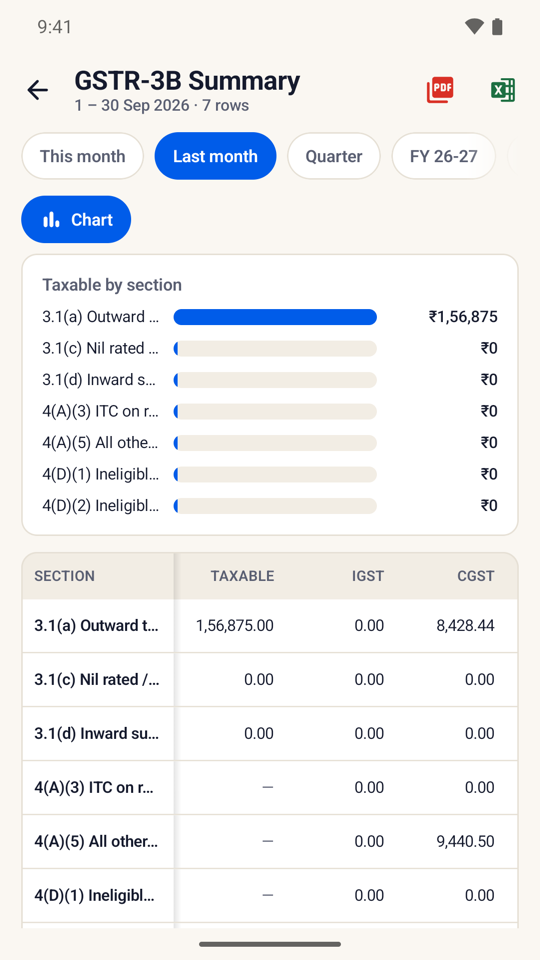
- GSTR-3B summary: outward supplies, input tax credit and the net tax payable for the period.
- GSTR-2 (purchases) and the GST purchase register: purchase bills with the tax you can claim.
- GSTR-4 for composition dealers, and GSTR-9 figures for the year.
- HSN summary and a tax rate report for sales.
All of them come from the same bills, so a correction to one bill shows up everywhere. See also what a GST invoice must contain.
GSTR-1 questions
How do I generate a GSTR-1 summary from my billing app?
In SahiBill, open Reports, choose GSTR-1 and pick the period. The B2B, B2C, credit note, HSN and document tables are built from your sale bills.
Does SahiBill file GSTR-1 for me?
No. It prepares the figures. You or your CA file the return on the GST portal.
Can I export GSTR-1 to Excel?
Yes. Every report, including GSTR-1, can be shared as PDF or Excel.
Does the report work without internet?
Yes. It is worked out on your phone from your bills. Sharing it needs a connection.
What is the difference between B2C large and B2C small?
In SahiBill's report, B2C large lists each inter-state sale above ₹1,00,000 to an unregistered customer; every other sale to an unregistered customer is totalled in B2C small by state and rate.
I am a composition dealer. Which report do I use?
GSTR-4 (Composition). Choose Composition under Taxes and GST in Settings, and your sales print as a bill of supply without tax.
Related
Let your bills do the GST arithmetic
GSTR-1, GSTR-3B and 35+ reports from the bills you already make. No ads.