2, 3 and 4 inch paper
58 mm, 80 mm and 4-inch rolls. Pick the width once and the receipt is laid out to fit, in small, normal or large text.
Make the bill on your phone and print it on a Bluetooth thermal printer in a second. SahiBill prints 2-, 3- and 4-inch receipts with your UPI QR at the bottom, and keeps your stock and party balances up to date with every bill.
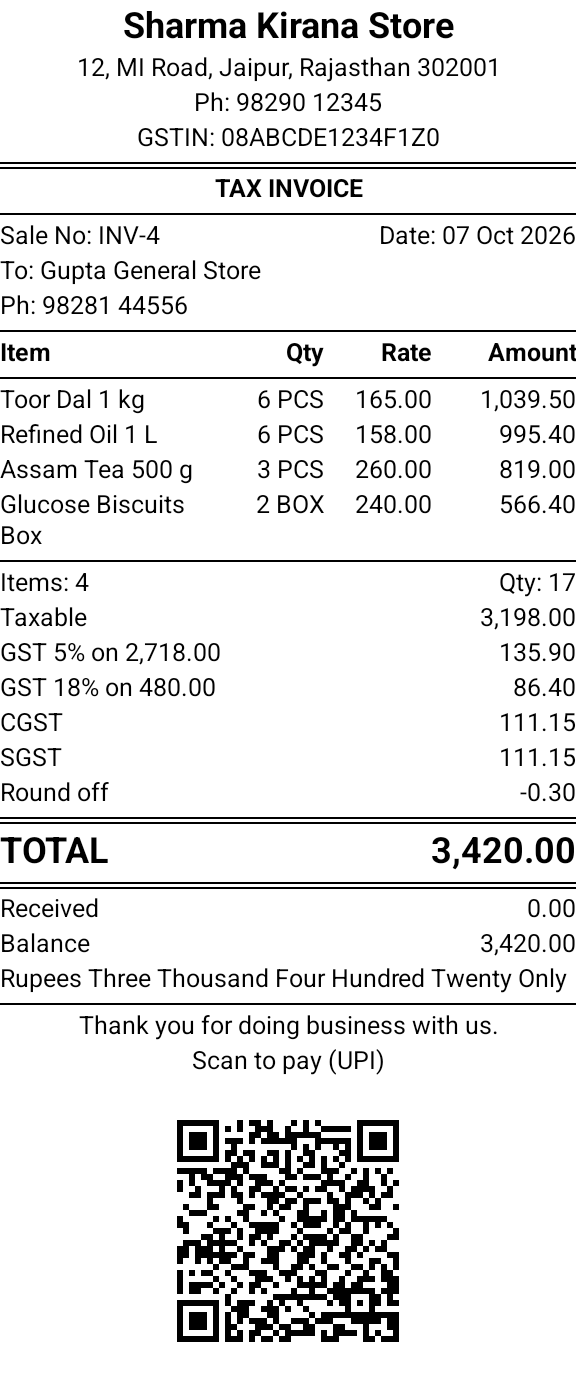
58 mm, 80 mm and 4-inch rolls. Pick the width once and the receipt is laid out to fit, in small, normal or large text.
A table with quantity, rate and amount in columns, or a list that gives long item names a line of their own.
Add your UPI ID and the receipt carries a QR code for the amount due. Customers scan it with any UPI app.
Your GSTIN, the customer's GSTIN and the CGST + SGST or IGST totals worked out for the bill.
Item and party names typed in Hindi or another Indian script print as you see them on the phone.
Print several copies, add footer lines such as your return policy, cut the paper by itself and open the cash drawer.
Switch the printer on and pair it in your phone's Bluetooth settings, as you would a speaker.
In SahiBill, open Settings, then Invoice print settings, and set the thermal paper width and the receipt style.
Save a bill and tap Thermal print. Pick the printer the first time; SahiBill remembers it. A bill's menu also has a receipt preview, so you can check the layout before using any paper.
SahiBill prints to Bluetooth receipt printers that use the standard ESC/POS commands, which covers most 58 mm and 80 mm printers sold for shops in India. The printer has to be paired with the phone over Bluetooth. If your printer has only USB or Wi-Fi, print the A4 or A5 invoice through your phone's print service instead.
You do not have to choose. Every bill can go out both ways: a thermal receipt at the counter, and an A4 or A5 PDF with your logo and signature on WhatsApp. See what a full GST invoice must contain.
Yes. Making the bill and printing it over Bluetooth both work without internet.
2-inch (58 mm), 3-inch (80 mm) and 4-inch rolls. Set the width in Invoice print settings.
Yes. Add your UPI ID to your business profile and the receipt prints a QR for the amount due.
The rules fix what an invoice must contain, not its size. SahiBill's receipt carries your GSTIN, the bill number and date, the items and the tax totals, but not HSN codes. For sales to registered businesses, send the A4 invoice, which has every required detail. See the GST invoice format guide.
Yes, with the SahiBill web app. Bluetooth printing needs Chrome or Edge; other browsers print the receipt through the print dialog.
Free for 7 days. No ads. Works without internet.